Field Service App
Mobile application for internal company use
Overview
Problem
After utilising an off-the-shelf product for a number of years, many UX roadblocks were being hit, with required input being missed and communication requiring extra tooling.
Outcome
I designed and prototyped a new application to better serve the business needs. Increasing efficiency, reducing costs and improving necessary data entry from 38% to 97%. With improved onboarding, utilised gamification techniques and ease of use. I also supported the development with storybook components and design tokens.
Project Breakdown
Project Start
Initial brief and project start based on prioritised needs (OKR)
Requirements
Business Needs & Goals. Who is it for? What personas? User flow? Project Scope? Reasonable existing comparisons?
Research
Discovery phase through research and review. Internal existing product research. Stakeholder Interviews. User Interviews.
User Flows
Initial draft flows. Whiteboard session with key stakeholders. Emphasise and prioritise primary flows. Testing and Presentation.
Early Ideation
Information Architecture. Wireframes. Structure focus. Wireframe Reviews.
Prototype & Design Share
Prototype created to illustrate full flows and make dev handoff easier. Key animations and interactions created. Stakeholder & Engineer Design Share and Reviews. Iteration if required.
Usability Testing
User Tests & Feedback. Results Share. Iteration.
Final Reviews & Iterations
Stakeholder & Engineering Sign off. Business Presentation (where required). Iteration.
Deliverable Handoff
Implementation (Prototype commenting for questions). Consistent UX/PD & PM Communication. Post UX Review. Metrics established.
Post Project
Beta build testing, reviews. Limited potential iteration. Future goals established.
Definition
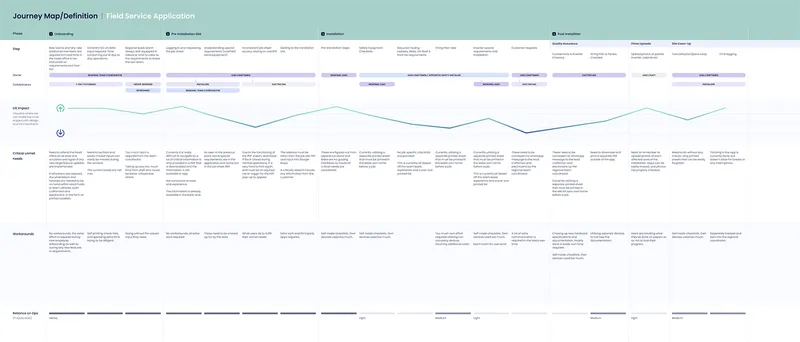
With a heuristic review, a definition map on the project was critical to start the design process with all key issues and pain points in one place. This allows the team and I a holistic view from which to build the best approach.
Solution
- Operational Efficiency: The primary focus was on streamlining internal processes related to installation tracking, performance monitoring, and customer management to improve overall operational efficiency.
- Cost Reduction: By automating manual tasks and optimising workflows, the application aimed to reduce operational costs associated with inefficiencies and errors.
- Data Accuracy Improvement: Accurate data entry and management were crucial for ensuring the reliability of system performance metrics and customer information. The new application incorporated validation checks and guided flows to minimise errors and discrepancies.
Note: I am only able to show a few concepts and prototype screens as this application is in active internal usage.
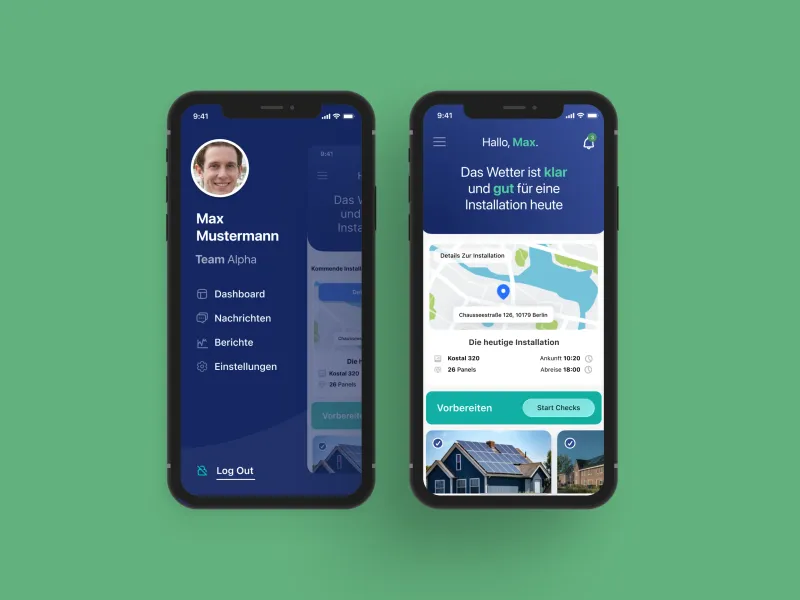
Navigation and Dashboard
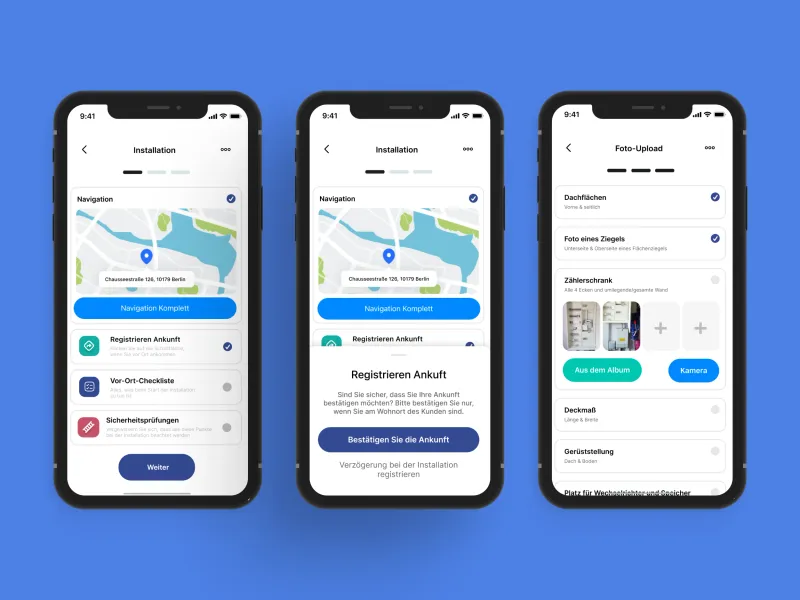
Installation Checks and Photo Upload
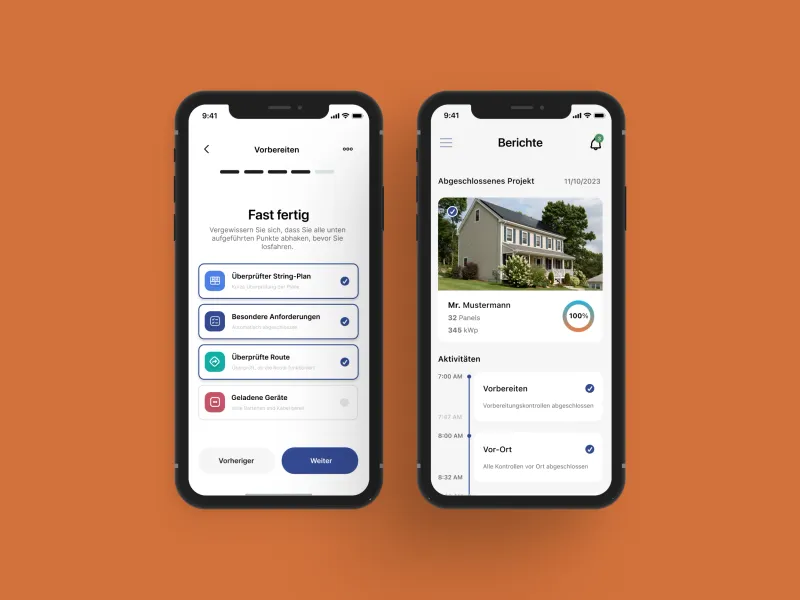
Preparation Checklist and Reports
Results
The design and prototyping of the application exemplify the transformative impact of strategic design interventions in addressing complex operational challenges. By focusing on efficiency, cost reduction, data accuracy, and gamification, we delivered a solution that not only met but exceeded expectations.